Everything below is free to use in any article, review or video, without asking and without attribution beyond naming the app.
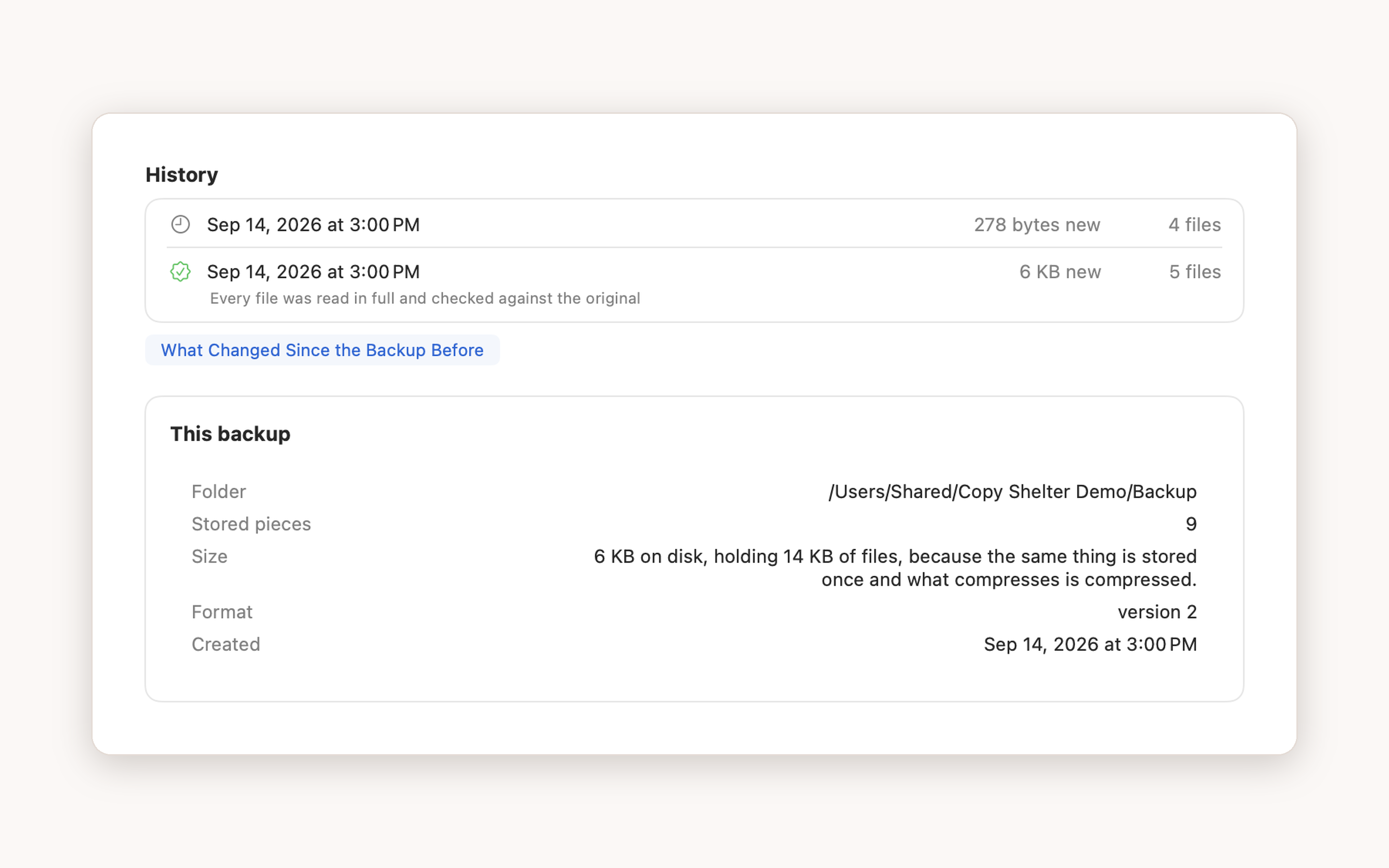
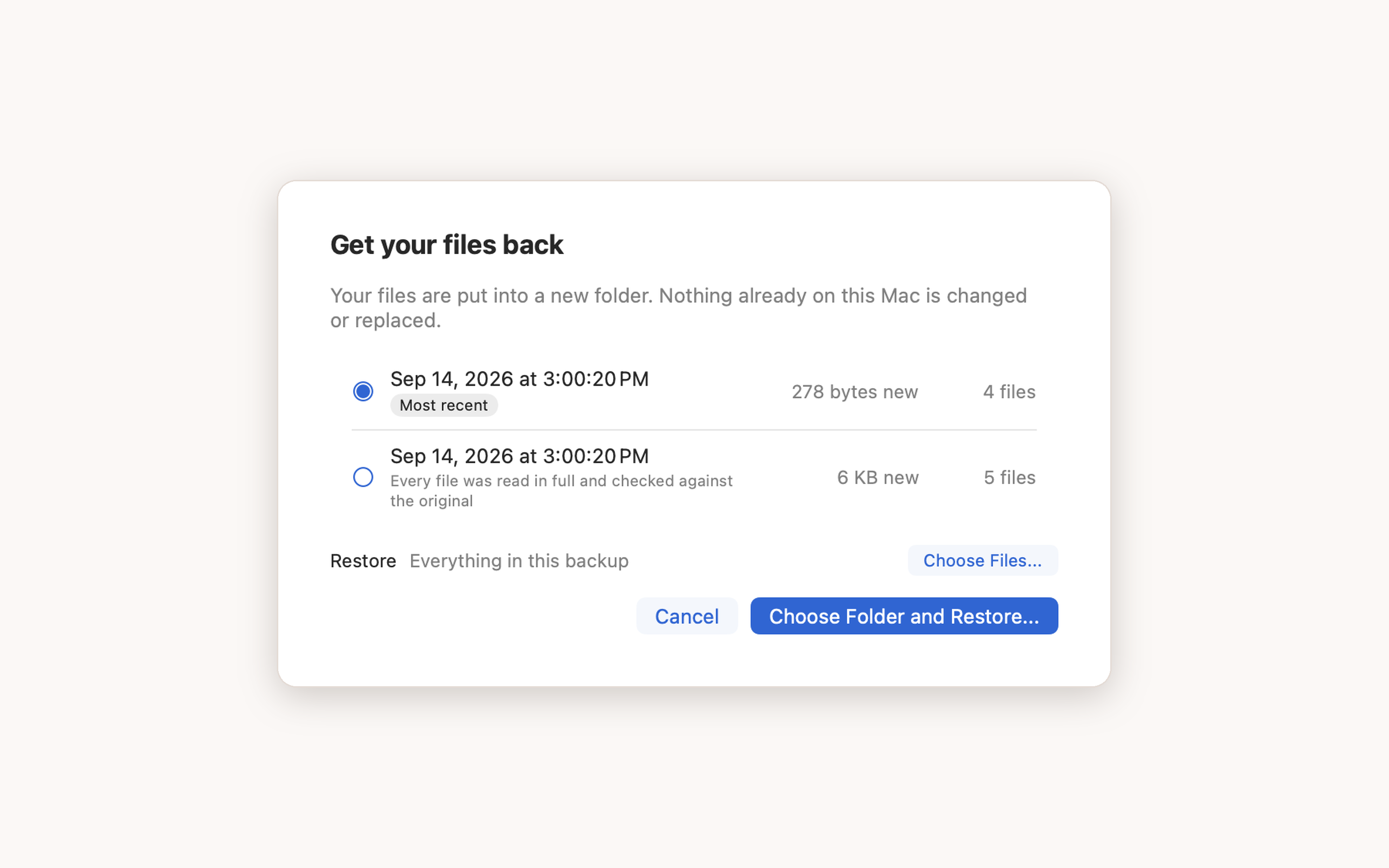
Every file is below: the icon, screenshots at 2880x1800, the social image and the founder photo.
Copy Shelter backs your Mac up to storage you already own, encrypts it before it leaves the machine, and reads it back to prove the backup works.
Copy Shelter is a Mac backup app that writes to an external drive, a NAS, or a folder in a cloud account you already pay for, so there is no storage subscription. Everything is encrypted on the Mac before it is written anywhere, and every backup is read back and checked against the hash it was stored under, so a mismatch is reported as a fact. It is free for one backup location, with no trial to run out.
Most backups fail quietly. A drive that stopped being plugged in, a script that errored in the night, a half-finished upload, a disk quietly rotting: from the outside all four look exactly like a healthy backup, and the first time anybody checks is the day the files are needed.
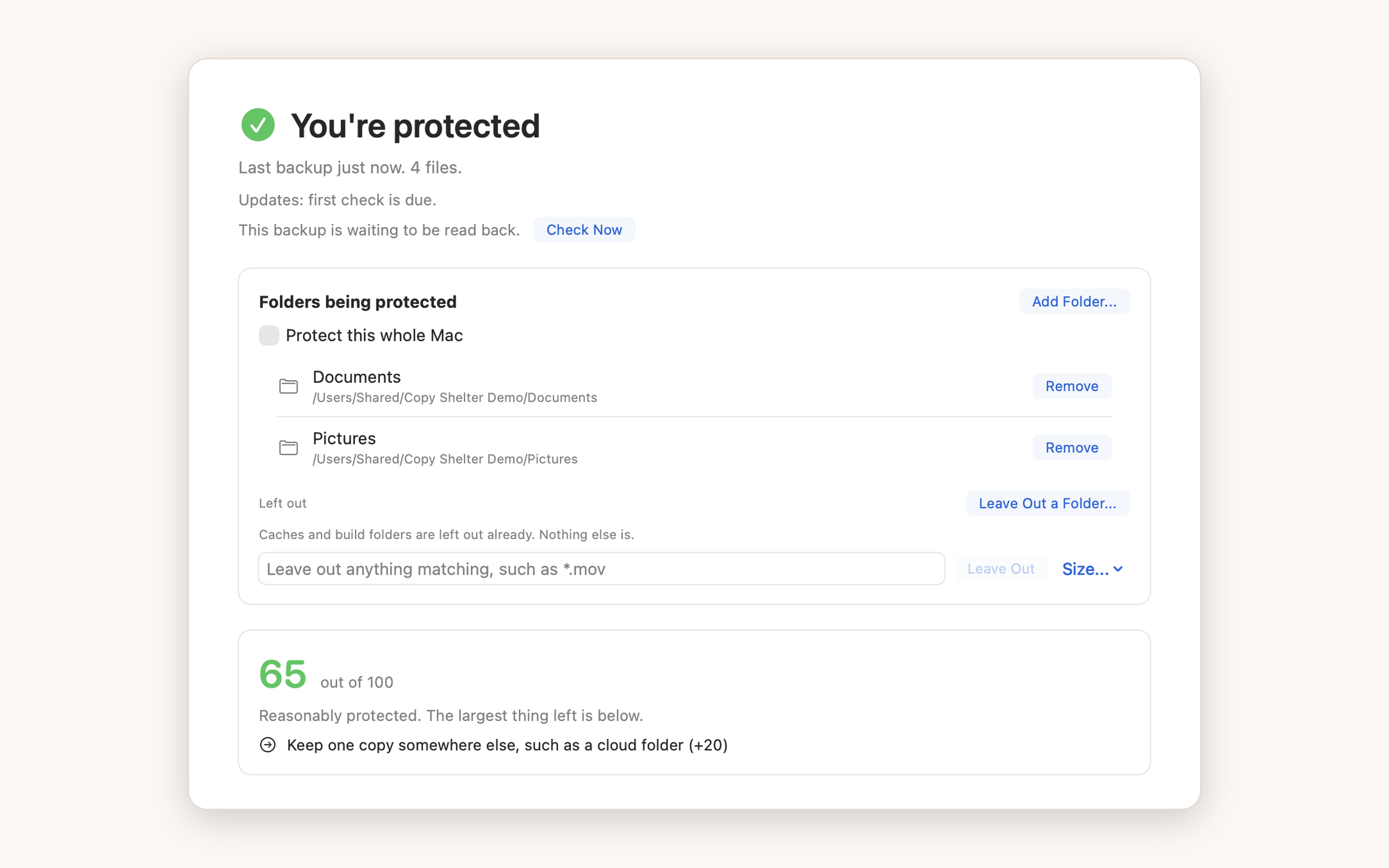
Copy Shelter is built around that problem. Copying files is the part every tool already does. It reads the backup back and checks every piece against the hash it was stored under: as it is written, whenever you ask, and a sample every week. It counts only the copies it has actually verified, and shows a score out of 100 that is deliberately unkind about the rest. It speaks up after seven days without a backup that worked, and it names the destination that has gone missing.
The second idea is that the storage should be yours. Every backup service sells the software and then rents the disks, and the disks are the expensive half. Copy Shelter writes to a drive in your drawer, a NAS on your network, or a folder inside iCloud Drive, Dropbox, Proton Drive or Google Drive, so the amount you back up changes nothing about what you pay.
The third is that none of it should depend on the company surviving.
The repository format is documented in full, and csctl, a free
single-file command line tool, lists, verifies and restores a backup with nothing but the folder and
your passphrase. There is a free standalone Restore app for anyone who would rather not open
Terminal. Both work whether or not anyone has ever paid.
Full resolution, 2880x1800, straight from the app with no mockup frame added.
Photo of Lee, who built it, and why he built it in his own words.
Two things, and neither is a condition of using anything above.
Questions, review licenses, or anything not here: [email protected]. It reaches the person who wrote the app, and it is answered.